
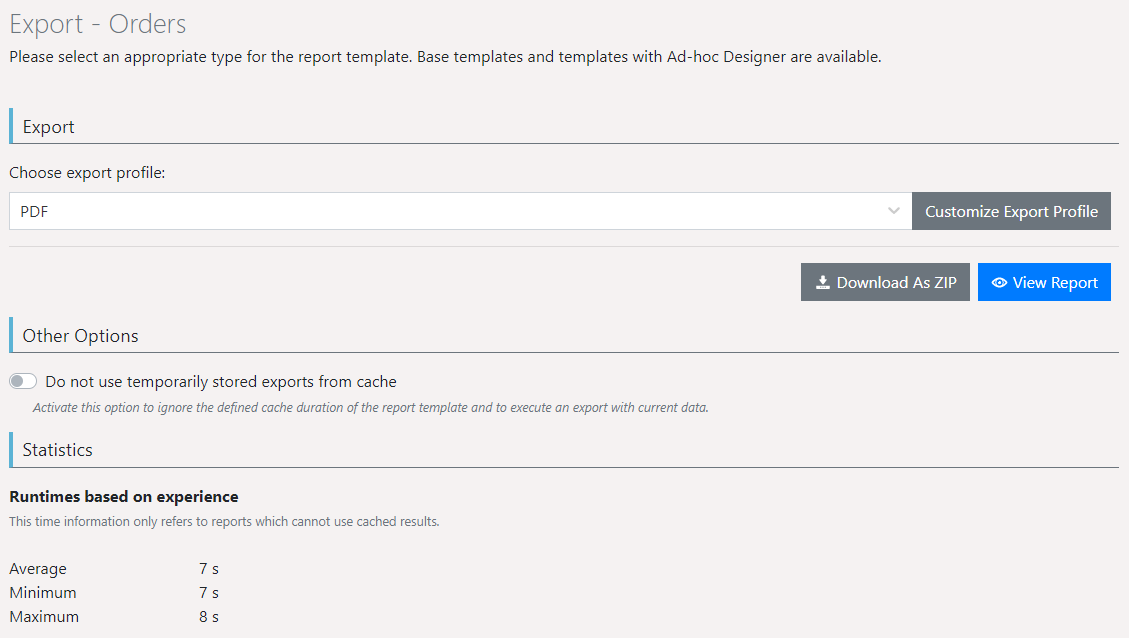
The export is configured in the combit Report Server.
▪ Select the report template and choose "Export".
▪ Select an export profile, e.g. "PDF".
▪ The option "Do not use cached results" creates a report with the latest data.
▪ The option "Do not delegate to Worker Services" creates reports without using Worker Services.
▪ Further information about export profiles can be found in section Export profiles.
▪ For the export with report parameters, the parameters can be preset. This is helpful, for example, if a link is to be shared or the export is to be integrated in the user's own application. You can append possible report parameters to the url.
Example: https://localhost/Report/Export/B2D6B8E3-FF08-4913-B723-4A0C4-BAE98F0?$DatasourceSingle= Seafood&$DatasourceMultiple=1;2;3&$Numeric=892&$Text=suhasuh&$Boolean=False&$NonRequiredBoolean=True&$Date=2020-07-02T15:00:00.000Z
Figure 2.33: Export settings