
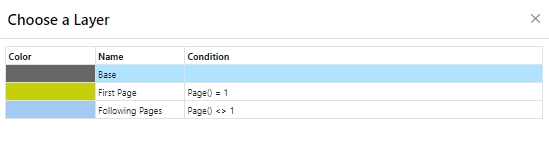
Once you have defined the layers, you can assign objects to them. You have two options:
1. In order to assign an object to a layer, select the object in the workspace or the objects list and choose Assign Layer(s).. in the objects list. Select the layer that you want in the dialog that appears and confirm with OK.
In the workspace, the assigned objects automatically receive the color of the corresponding layer so that they can be easily differentiated from the other objects. This only affects the appearance on the workspace and not the print.
Figure 2.2: Dialog for assigning objects to a layer