
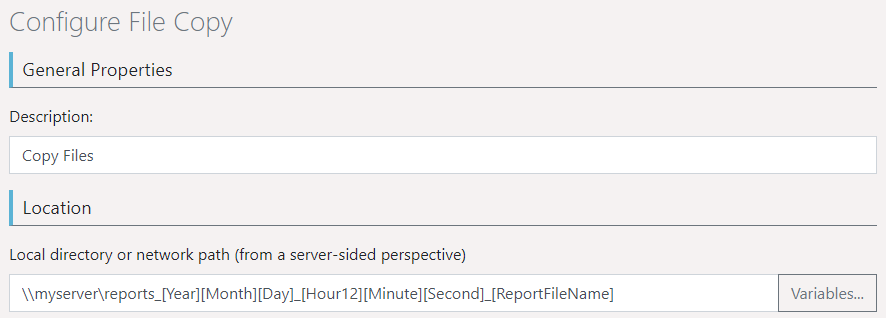
At various points, variables can be used which are replaced at runtime.
Figure 2.23: "Variables" button at the location for "Copy files"
The "Variables ..." button opens a selection dialog with the following options:
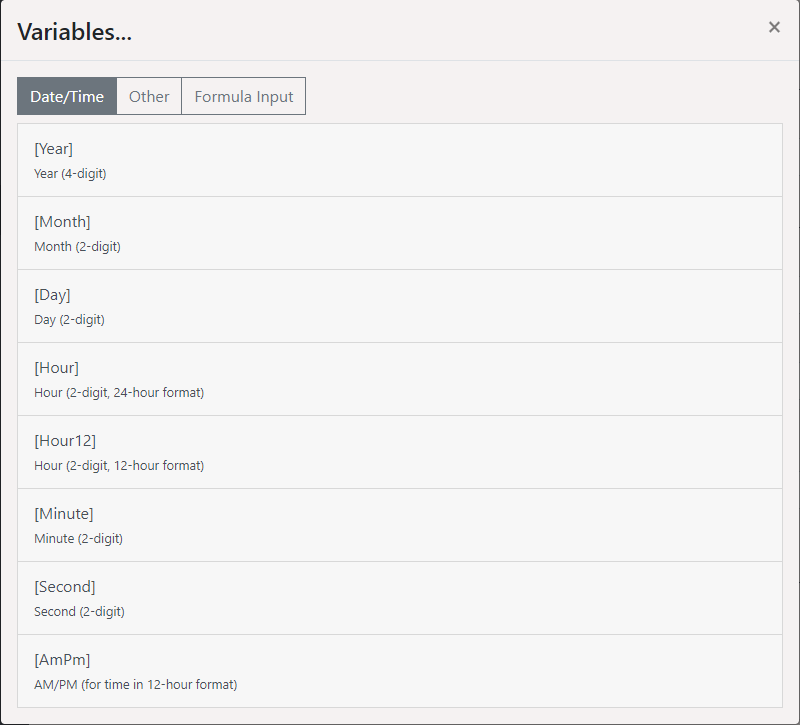
Figure 2.23: Selection dialog of the Variables
▪ Date/Time: u.a. [Year] Current Year, [Month] / [Day] Current Month / Day, [Hour] / [Hour12] / [Minute] / [Second] Current Hour / Minute / Second, [AmPm] AM/PM
▪ Other: u.a. [ReportFileName] Name of the report template including the file extension, [ReportTemplateName] Name of the report template, [ReportFileExtension] File extension, [ReportTemplateID] ID of the report template, [UserName] User account name, [UserLoginName] Login name, [UserEMail] Email address of the user account, [UniqueID] ID of the process, [ServerURL] address of the report server.
▪ Formula Input: The formula syntax corresponds with the report designer, so you can use the designer's formula wizard to write and test the formula more easily. The variables listed are also available within the formula. Be sure to enclose them with quotes to interpret them as text. For example: [{Upper$("[UserName]")}] to output the name of the active user in capital letters.