
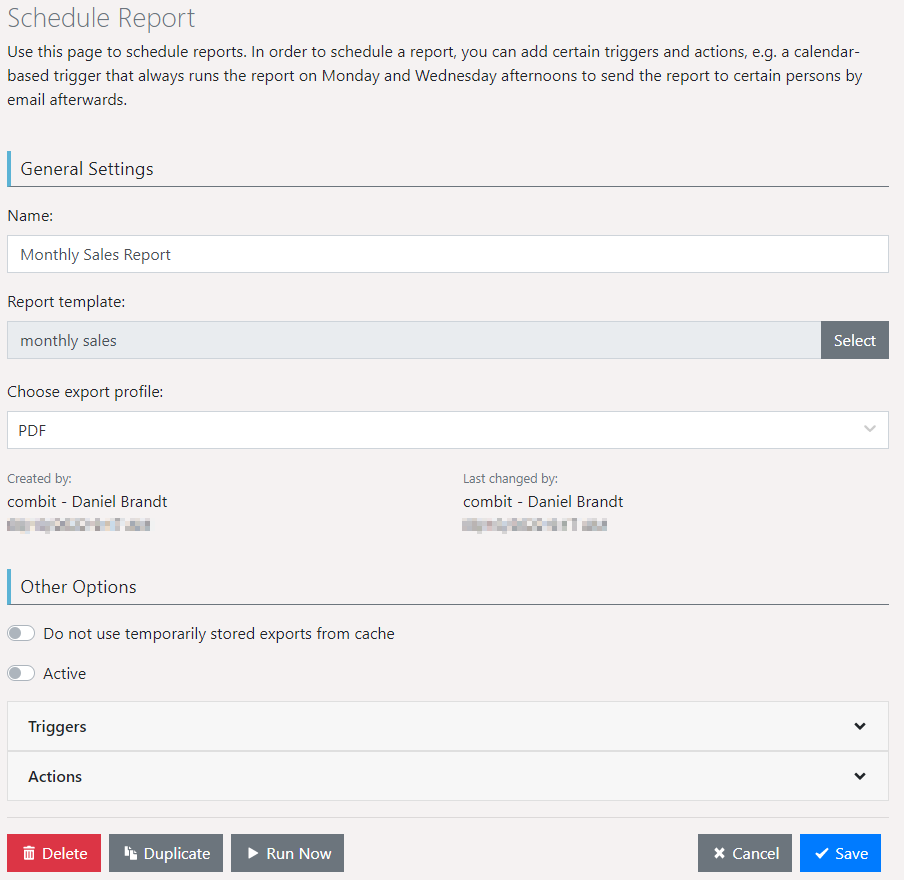
▪ First, determine the general properties of the scheduled report.
▪ Name
▪ Report template
▪ Choose export profile
▪ Via "Active" you have the option to temporarily or permanently deactivate scheduled reports. If the option is deactivated, the report is no longer executed automatically and all triggers stored in the task planning are deactivated. A deactivated report is marked in the list with a small lock. Important: The synchronization between the interface and the Windows task scheduling can take up to one minute.
▪ Expand the Triggers pane and select Add Trigger.
▪ Enter a name for the trigger. Any number of triggers may be defined for a report.
▪ Specify the initial timestamp. The terminating timestamp is optional.
Figure 2.25: Settings for a scheduled report