

Until now, you have only seen the report in layout view as a structure with a record. To get an impression of the result, you can display a preview of the report. Use the tabs in the bottom margin of the workspace to change to the preview.
Figure 3.21: "Preview Options" toolbar
The report will now be displayed with the data from the "Products" table.
1. To do this, save the report with File > Save.
2. End the Designer with File > Close.
3. Open the print template that you created again via Design > Extended Samples, and switch to preview mode. Your report will look roughly like this:
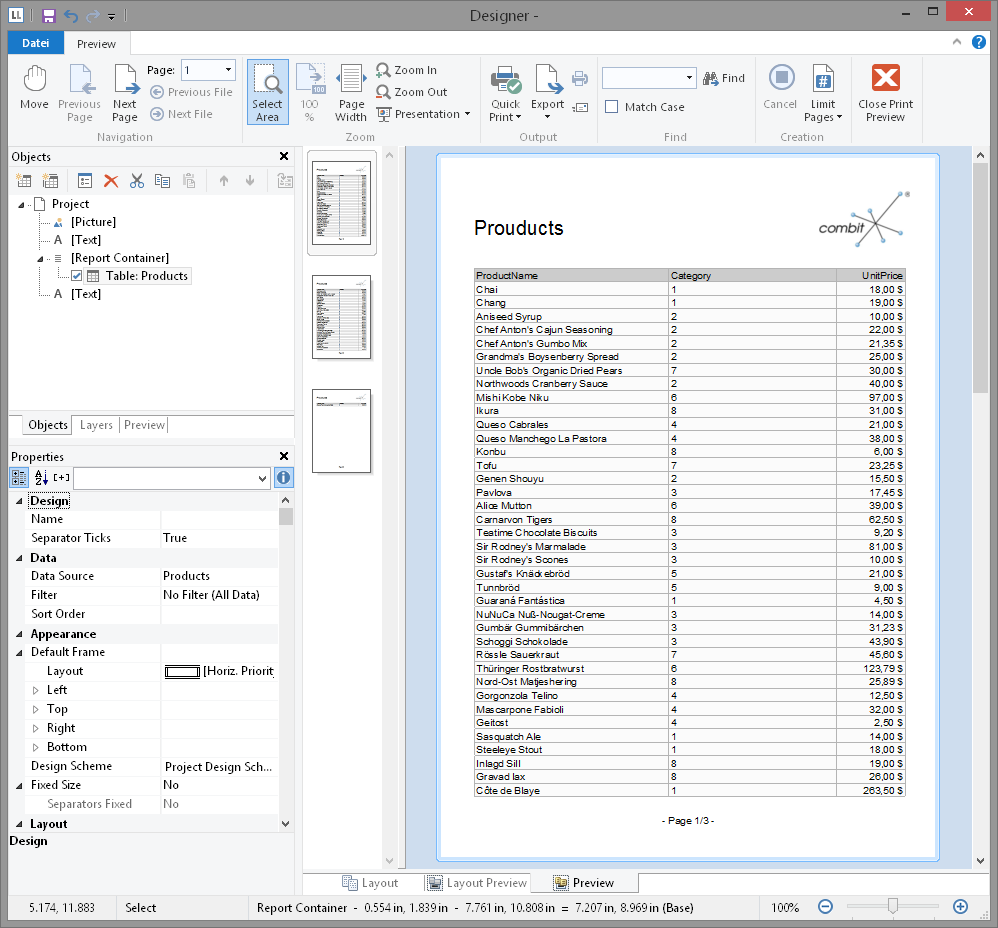
Figure 3.22: Real data preview