
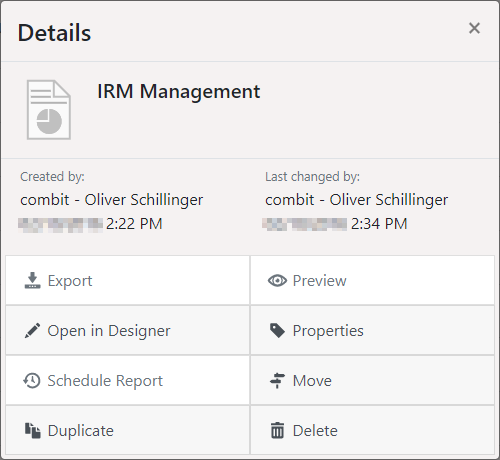
If you select a report, there are various options available.
Figure 2.6: Details menu of a report template
Select the appropriate function:
▪ Export: Generate the report with the selected export profile.
▪ Preview: Generate and display the report in the browser.
▪ Open in Designer or Open in Ad-hoc designer: Open to edit in Designer or in Ad-hoc designer.
▪ Edit: Change report properties, such as name or data source.
▪ Schedule Report: Generate a report at a specific time and link with actions (refer to the Schedule reports section).
▪ Other Options: move, duplicate or delete templates.
Clicking on Properties provides you with access to additional options for further functions:
▪ Convert (only for Ad-hoc templates): Converting an Ad-hoc report to a regular report template allows you to design it using the combit Report Server Designer instead of the Ad-hoc designer. Duplicating a report template prior to conversion allows you to retain a copy that you can use with the Ad-hoc Wizard. The Ad-hoc designer is no longer available after the conversion!
▪ Quick View: You can configure quick access functionality (Quick View, Preview, Export) in your personal user settings.